Learn by running a prepared model
Each tutorial connects an engineering question to the blocks that calculate it: equations, inputs, software pictures, downloadable model data, numerical checks and references. Run and inspect every prepared example in the public viewer. Follow your first simulation, then choose a problem below.
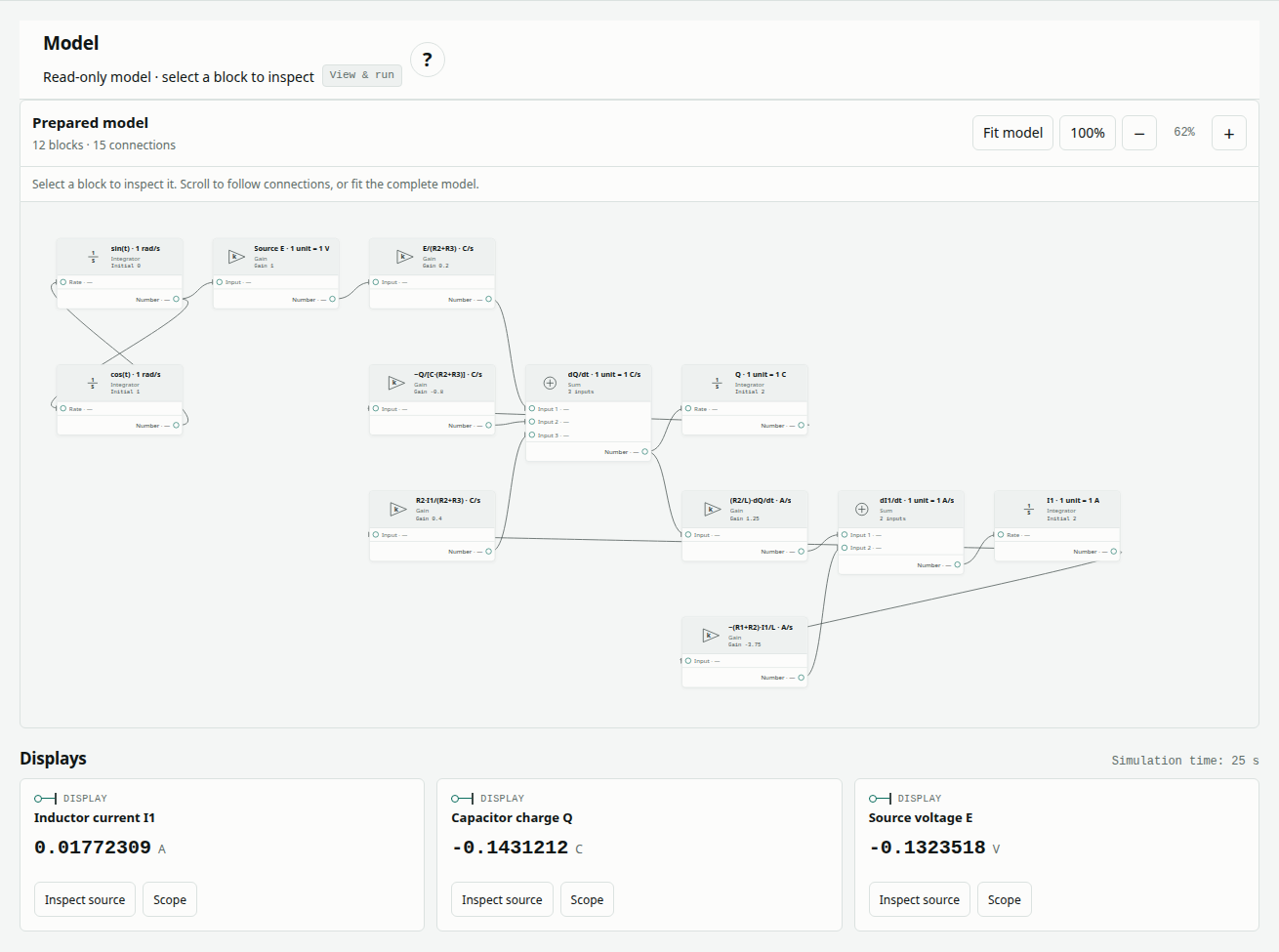
Choose a starting point
| Example | What you will learn | Blocks / connections |
|---|---|---|
| Battery pulse response | Instantaneous resistance and two polarization responses | 14 / 15 |
| RLC current and charge | Coupled state equations and feedback | 12 / 15 |
| Steady rod conduction | Thermal resistance and temperature drop | 4 / 3 |
| Surface convection | Heat loss from a cylindrical surface | 5 / 4 |
| Insulated rod heating | Stored energy and temperature rise | 4 / 4 |
| Lumped thermal transient | Heating, losses and equilibrium | 7 / 8 |
| Passive two-cell exchange | Bidirectional transfer and conservation | 35 / 42 |
| Finite heat release | Time-seeded release and finite energy | 26 / 30 |
| Triggered propagation | Sampled threshold and neighbor release | 48 / 64 |
| Reduced coupling | Weaker heat transfer in the same model | 48 / 64 |
Start with a four-block rod model to learn how blocks and results connect. Use circuit models to explore feedback and two-cell models to explore sampled events and energy accounting.
Keep the guide beside your work
Choose Read beside model on an article to open its instructions alongside the prepared example. The ? icon controls the left help panel. Wiki links open related explanations without replacing the selected model. Open Full Page opens the public article separately.
Choose an Example and its complete model loads automatically. Select a block to inspect its read-only parameters and connections, then choose Run prepared model for a fresh computation. The public viewer has no file-import or editing controls. Choose Edit with Pro to open the selected model in the authenticated Design editor when you want to change parameters, connect blocks, import a file or save a variant.
See more than a final number
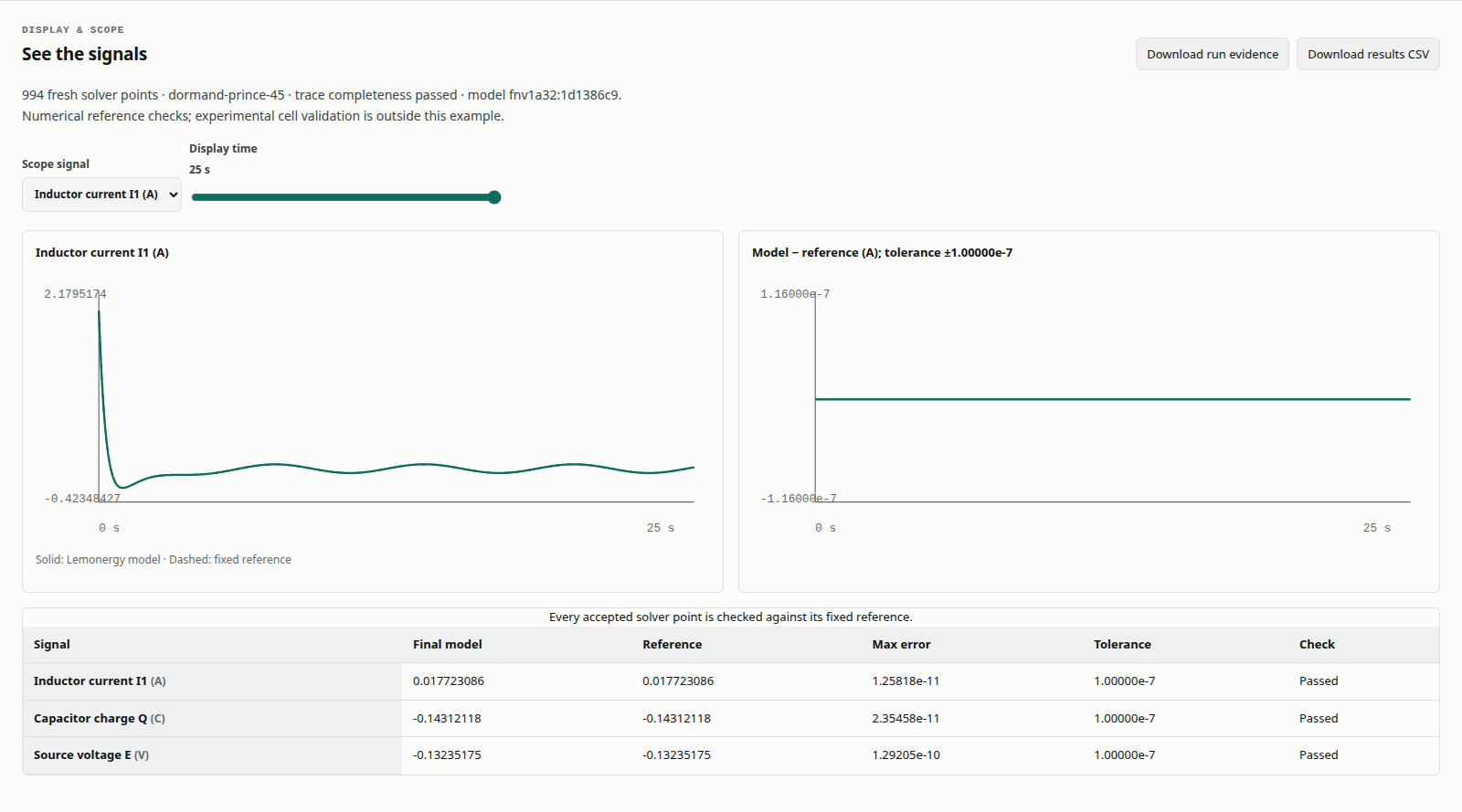
Move Display time to inspect numerical outputs at retained solver times. Choose a signal's Scope button or use Scope signal to inspect its trajectory and reference-error plot. Keep the fresh result with Download run evidence or Download results CSV; original model data is also available for download. Understanding results explains maximum error, RMSE, saved results and fresh solves.
The original software captures were made on October 10, 2026 after all ten models passed their fixed numerical checks with the Rust/WebAssembly engine; each figure identifies its capture date. The downloadable reports retain their original October 1 dates. Captured and downloadable models preserve the same executable blocks, parameters and connections apart from creation/load history. Public viewing is read-only; the articles' controlled-change sections identify the Pro editing steps.
Follow the next question
The parameter-recovery benchmark is a separate fitting workflow, not a fitting button in the Studio pulse example. Thermal propagation verification explains the synthetic two-cell cases. Battery thermal management connects calculations to cooling questions.
Follow each article's links to concepts, source records and papers. Papers provide context and methods; a model's own assumptions and reference contract determine what its successful comparison establishes. These examples verify stated equations, not measured physical performance or an executed comparison with another commercial tool.