Make an independent comparison reproducible
Use this guide when auditing a Lemonergy result against a separately executed implementation. Match inputs, units, initial states, event handling and full traces before comparing performance. For ordinary modeling, begin with your first simulation.
Collect the Lemonergy result
- Open prepared examples and select the case. Its complete prepared model loads automatically.
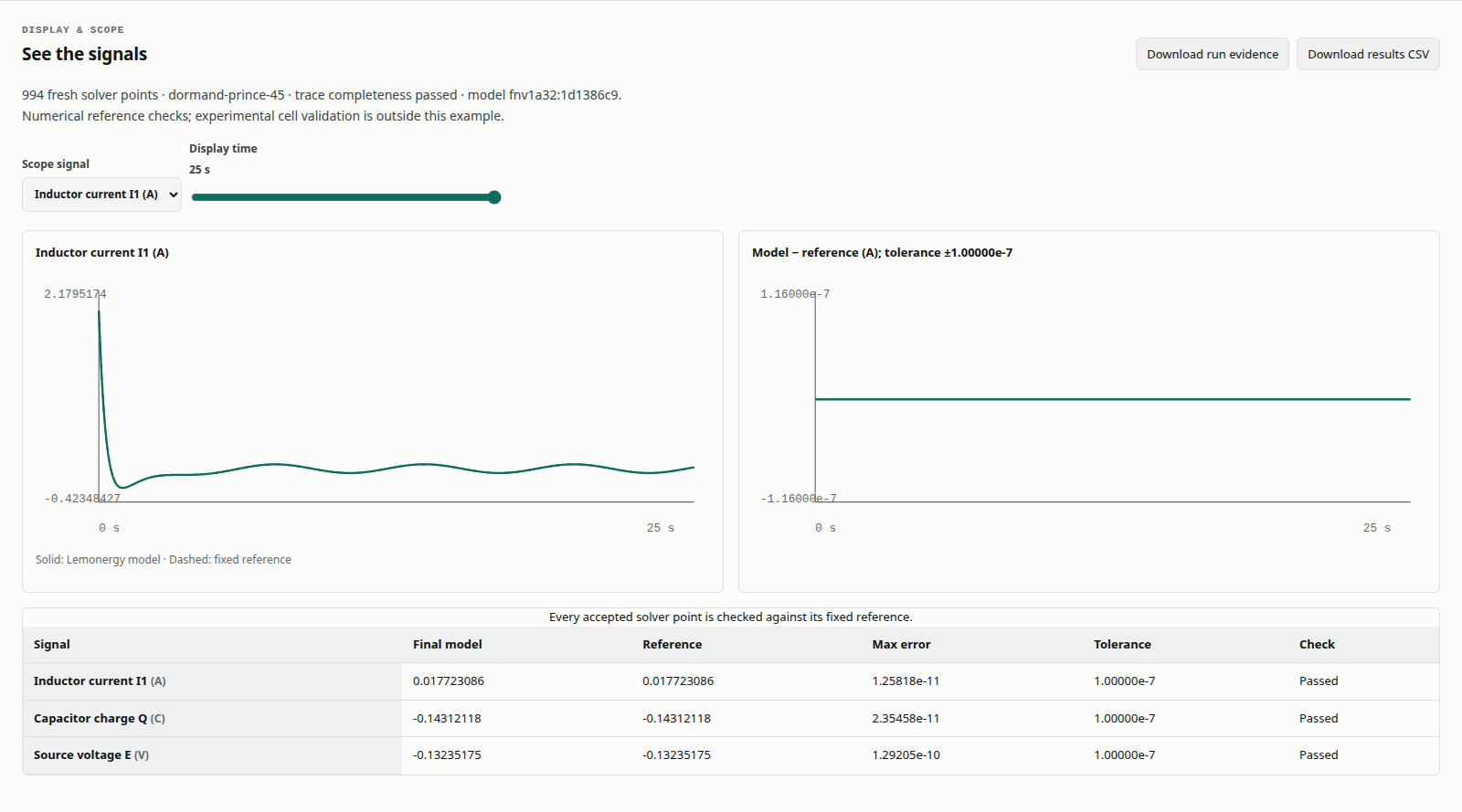
- Choose Run prepared model. Inspect every signal and numerical gate, using Display time and Scope to explore the result.
- Choose Download run evidence for the fresh graph and trace, and Download results CSV for the compared samples. Under Model, method and references, Download the model file provides the original model data; it does not save your fresh result into that original file.
- Record the machine, source version and initialization state. Retain failed runs too.
This picture shows Lemonergy. The retained reports currently contain no imported external execution evidence.
Agree on the comparison contract
| Item | What must match |
|---|---|
| Identity | Case ID and reference version |
| Inputs | Values, signs, units and initial states |
| Time domain | Complete window and required output/event instants |
| Solver | Method, tolerances and event/sampling scope |
| Observables | Every required signal |
| Timing | Declare initialization, encoding, checking and rendering scope |
| Machine | Use the same device for a same-machine claim |
The supplied independent scripts implement authored equations in base MATLAB. Its installation is needed only for the commands below; Lemonergy's models run without it. These scripts do not invoke Simulink or a commercial battery model.
Collect the six circuit and rod cases
Run from the repository root. Replace the example machine label with your actual device identifier.
export MATLAB_BENCHMARK_MACHINE='my-measurement-machine'
matlab -batch "addpath('benchmarks/cross-tool/matlab-performance'); run_matlab_reference('outputs/matlab-performance.json')"
node benchmarks/cross-tool/matlab-performance/run-native.mjs --matlab=outputs/matlab-performance.json
The first program writes independent results; the native collector imports and checks them. Format lemonergy/matlab-performance@1 retains six case IDs, inputs, settings, accepted traces, numerical limits and first/warm timings.
Collect the four thermal event cases
matlab -batch "addpath('benchmarks/cross-tool/thermal-runaway'); run_matlab_reference('outputs/thermal-runaway-matlab.json')"
node benchmarks/cross-tool/thermal-runaway/run.mjs --matlab=outputs/thermal-runaway-matlab.json
Format lemonergy/matlab-runaway-performance@1 includes complete thermal traces, energy accounting and sampled events for the reduced thermal equations. It does not reproduce a physical abuse experiment.
Both folders contain run_matlab_reference. In an existing session, clear that function and put the intended folder first with addpath(path,'-begin') before calling it. A new batch process avoids reusing a previously loaded function.
Review the import
The protocols default to ten measured repetitions after two warmups, with the first run recorded separately. Optional second and third function arguments change the counts; document the values actually used.
The importer checks identity, inputs, units, settings, the full time window, switching/sample instants and every required signal. It recomputes numerical errors and timing summaries; a supplied pass flag cannot override the checks.
| Outcome | Next action |
|---|---|
| File or format missing | Confirm the command finished and inspect its output path |
| Inputs/settings differ | Restore the agreed contract and collect both sides again |
| Required event times absent | Check event/output rules instead of dropping the requirement |
| Numerical gate fails | Preserve the failure and investigate its first divergence |
| Both pass but timing scopes differ | Report individual timings without a speed ratio |
Keep the evidence with the conclusion
Retain both original files, source versions, environment and settings. Report numerical agreement before speed. The native engine emits intermediate block values; the independent runner emits the compared observables, so output scope must be explained.
Checksums identify changed content; they do not authenticate the machine or software that generated a file. Historical reports remain historical after a new build. See result interpretation for timing definitions and the retained campaign for the existing evidence.