PACK DESIGN · SIMULATION · GARAGE
Design the pack.
Explore the system.
Start with what you are powering. Find the tools to size its battery, explore alternatives, and understand its behavior.
Existing tools, together in one Design island.
PACK DESIGNERExisting product render
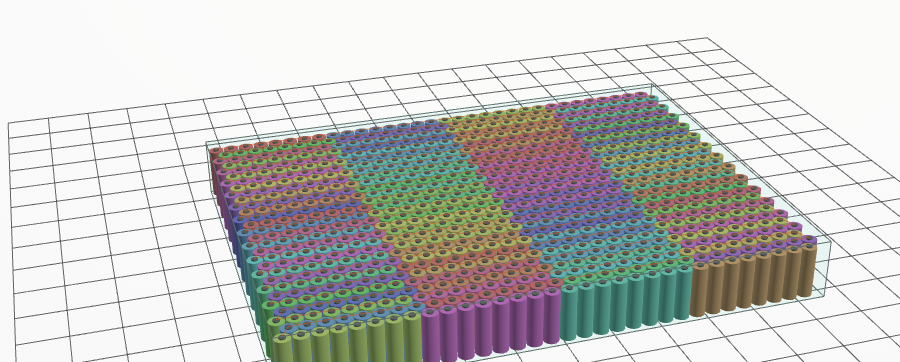
Existing product illustration
What are you powering?
Start with the kind of product. The designer asks only the questions that change its battery.
APPLICATION EXPERIENCE · PROPOSAL
Proposed setup fields. These inputs are local to this preview; no calculation runs here.
YOUR MISSION
Visual context
03 · RESULTS THIS APPLICATION SHOULD LEAD WITH
Proposed result priorities. Values will appear only after a supported calculation.
Try the existing application
The current workspace opens in a new tab with its starter requirements. Preview mission inputs are not transferred.
Current availability for this application
GARAGE
Your original 3D showroom.
Choose from the 72-car artist collection. Rotate the original model, then explore its battery study.
Loading the original car collection…
The 72-car artist collection is separate from the 22 source-backed engineering donor records. Two mismatched artist entries remain excluded from 3D preview. Catalog details →
Find the tool for your next question.
Pack design, Garage, and simulation stay together. Open the part of the workspace you need.
Pack Designer
Choose the application and cell. Explore the pack arrangement, size, mass, and engineering estimates.
Open Pack Designer ↗Garage & refurbishment
Choose a donor vehicle, inspect the pack, and compare replacement options with their consequences.
Choose a donor vehicle →Simulation Studio
Build connected block models, inspect their signals, and explore system behavior.
Open Simulation Studio ↗Mission studies & replay
Choose a duty or route in the workspace, run the study, and replay the resulting battery behavior.
Open a road-vehicle study ↗Calibration & engineering studies
Find the current fitting, electrical, thermal, and safety-study tools with their access and model boundaries.
Browse the current tools ↗Checks, results & reports
Review results alongside requirements, assumptions, source records, and issues still to resolve.
Open the results workspace ↗SEE HOW THE SYSTEM BEHAVES
From a mission to its response.
Make the existing playback easy to reach after a study has run.
Choose the application
A road vehicle, vessel, robot, aircraft, or another supported product.
Define its work
Set the available route, mission, duty, and operating conditions.
Run the study
Review the model and its assumptions before interpreting the result.
Replay the behavior
Inspect charge, voltage, current, power, and temperature over the completed trace.
What the current 3D view and playback do
The 3D viewer supports inspection, orbit, zoom, and camera views. Mission playback supports play/pause and scrubbing of a completed simulation. These are not live steering, throttle, or flight controls. Full-machine visualization varies by application; some hosts require the local runner.
INSIDE SIMULATION STUDIO
A library you can find your way around.
Browse the inspected native definitions and component classes by purpose. This preview shows their descriptions; execution stays in Studio.
Explore 26 blocks and 7 component classesBrowse library +
All entries
Keep the methods close.
Open examples, documentation, and access information when you need them.